Choose your shortcut
The default is Option + Tab. Choose another modifier and key pair in Settings → Window Switcher. Repeated presses cycle through windows; add Shift to cycle backwards when Shift is not already part of your chosen modifier.
Docktopus for macOS
A visual grid of every window on Option-Tab, with keyboard navigation and minimized, hidden, and off-screen badges.
Three distinct themes. Light and dark presets. Free to try, one purchase to keep.
Window Switcher
Recognize the window you need in a visual grid, navigate by keyboard, and switch when you release the modifier. Preview capture uses Screen Recording access; focusing individual windows uses Accessibility.
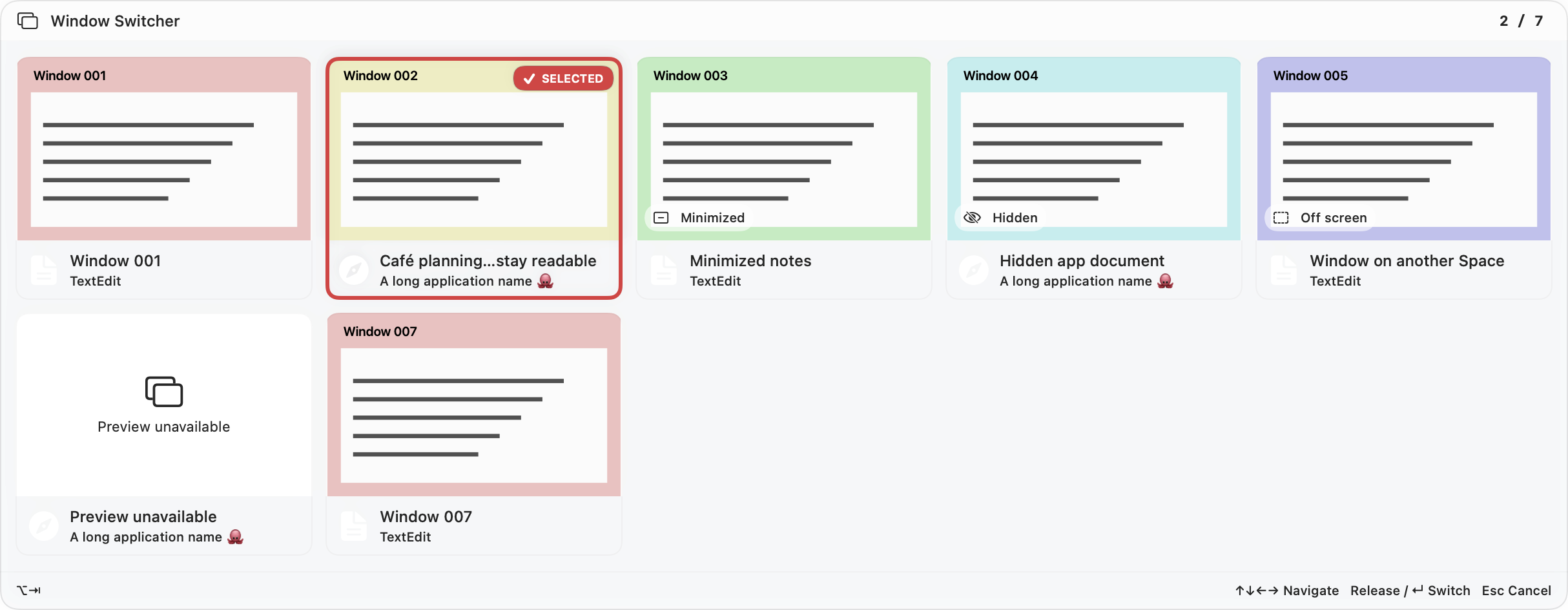
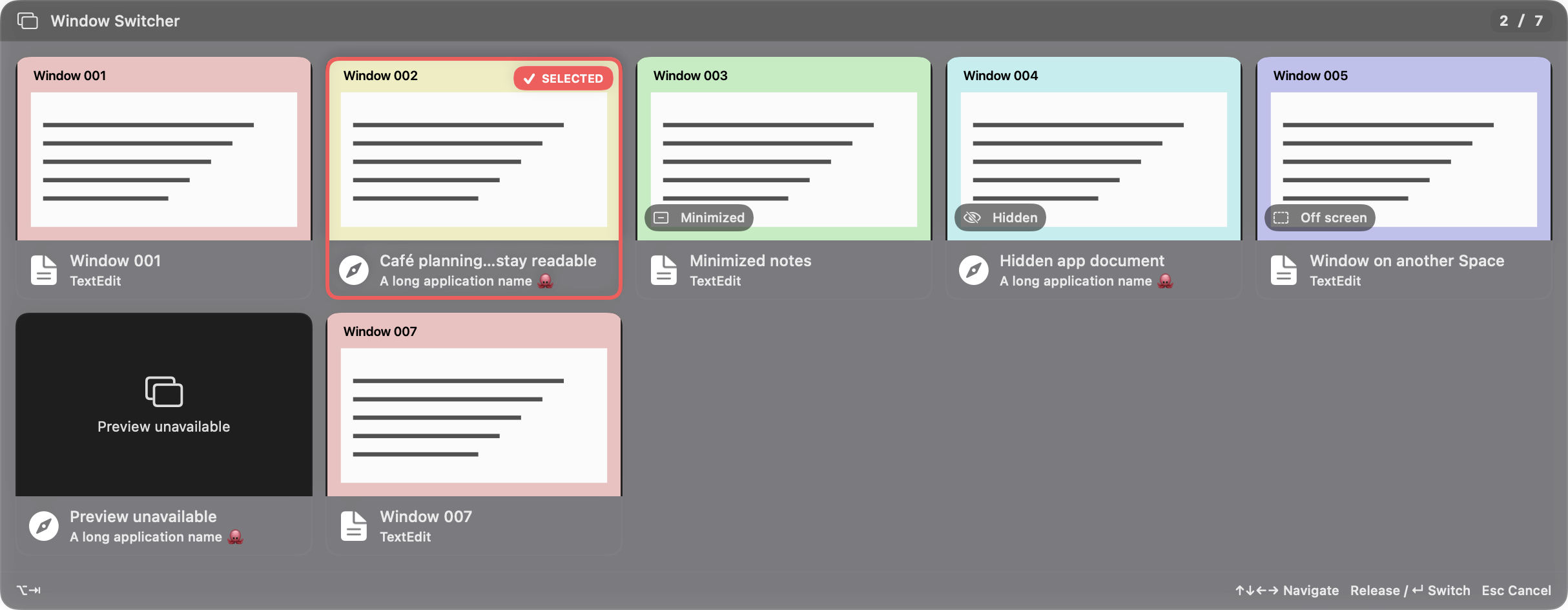
The default is Option + Tab. Choose another modifier and key pair in Settings → Window Switcher. Repeated presses cycle through windows; add Shift to cycle backwards when Shift is not already part of your chosen modifier.
Use ↑, ↓, ←, and → to move through the grid, or Home and End for the first and last window. Selection scrolls into view. Press Return or release the modifier to switch, click a card to choose it directly, or press Esc or click outside to cancel.
Window titles, application names, app icons, and a position counter help distinguish similar windows. Hover for the full title. Where an eligible window’s state is known, badges identify Minimized, Hidden, or Off screen. The available windows depend on what macOS and each app expose.
The switcher opens on the display under your pointer and fits within its visible area. The adaptive grid shows up to five columns and three rows before scrolling. It starts with the current window and uses front-to-back window stacking order, with minimized windows at the end. Updated details and thumbnails preserve your selection and the session’s order.
Window names and icons appear before thumbnails finish loading. Inactive cards use cached still images; the selected, visible window updates live after a brief pause. Minimized, hidden, and off-screen windows keep still previews or a Preview unavailable message. Screen Recording access enables preview capture. Accessibility access lets Docktopus focus a specific window and restore it when minimized; without that access, switching activates its app.
Follow your active Liquid Glass, CDE, or Windows 95 theme, including light, dark, and custom presets. Theme fonts, colors, spacing, bevels, and motion apply to the switcher. The window-name frame can be turned off while titles and app names remain visible. The switcher respects Reduce Motion, Reduce Transparency, and Increase Contrast, with descriptive accessibility labels for window identity, state, and selection.